

Clearly
Turn anything you read into natural speech — and learn the language while you listen.
Available now Download on the App StoreClearly turns anything you read into natural speech — and into a way to learn the language while you listen. Because summaries, translation, and speech all run on your device, offline, it’s fast and nothing you type ever leaves your iPhone.
Take a look around

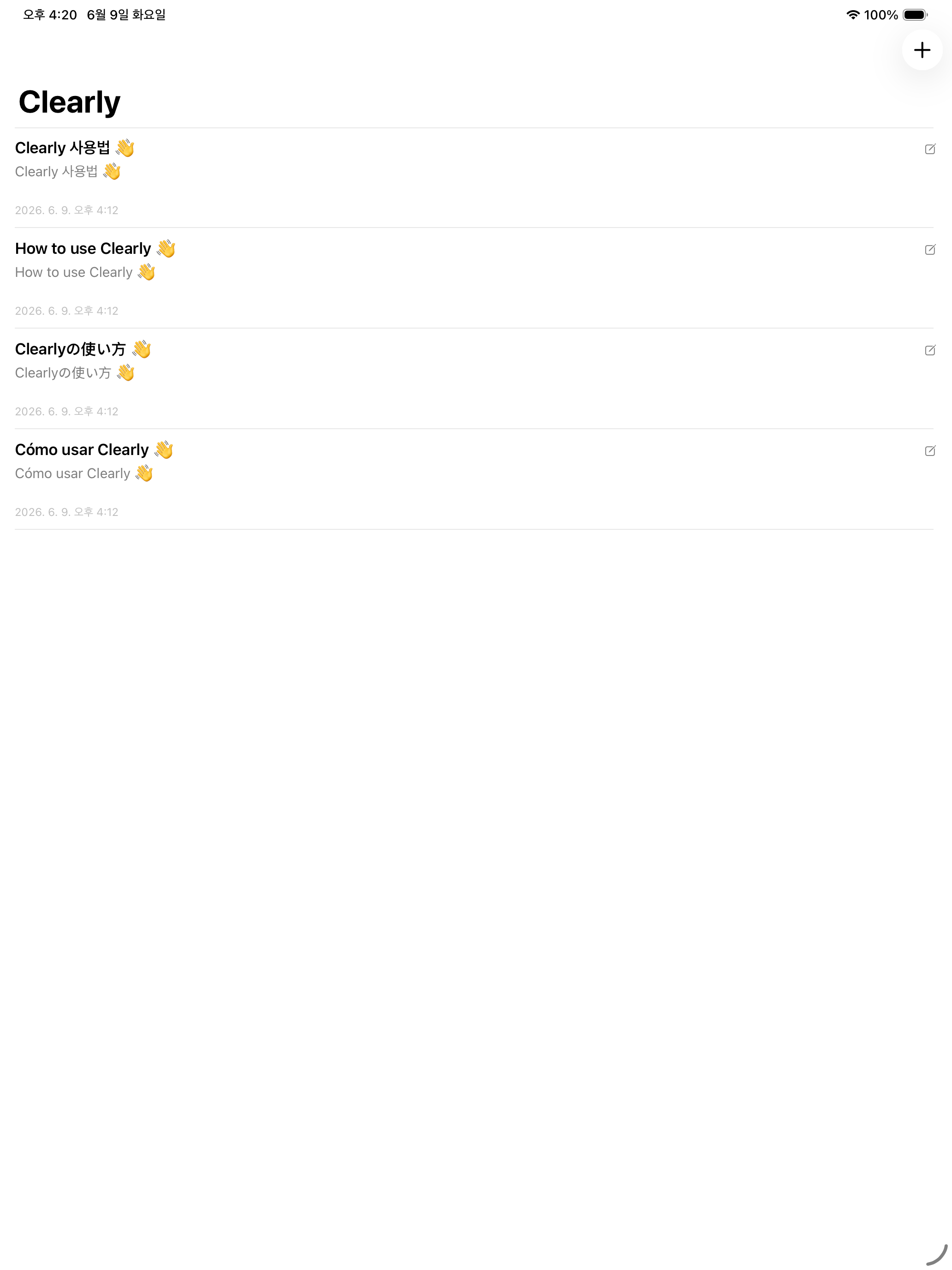
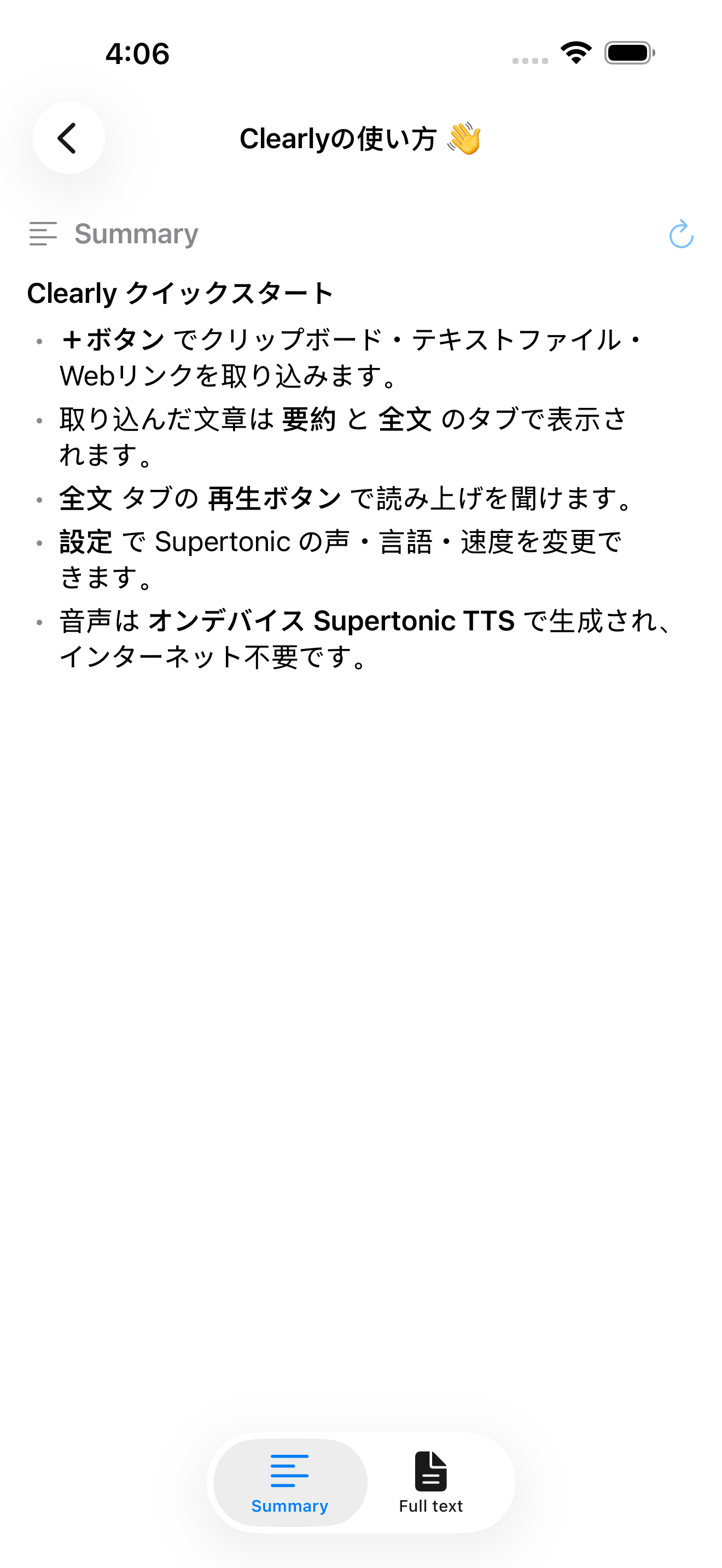
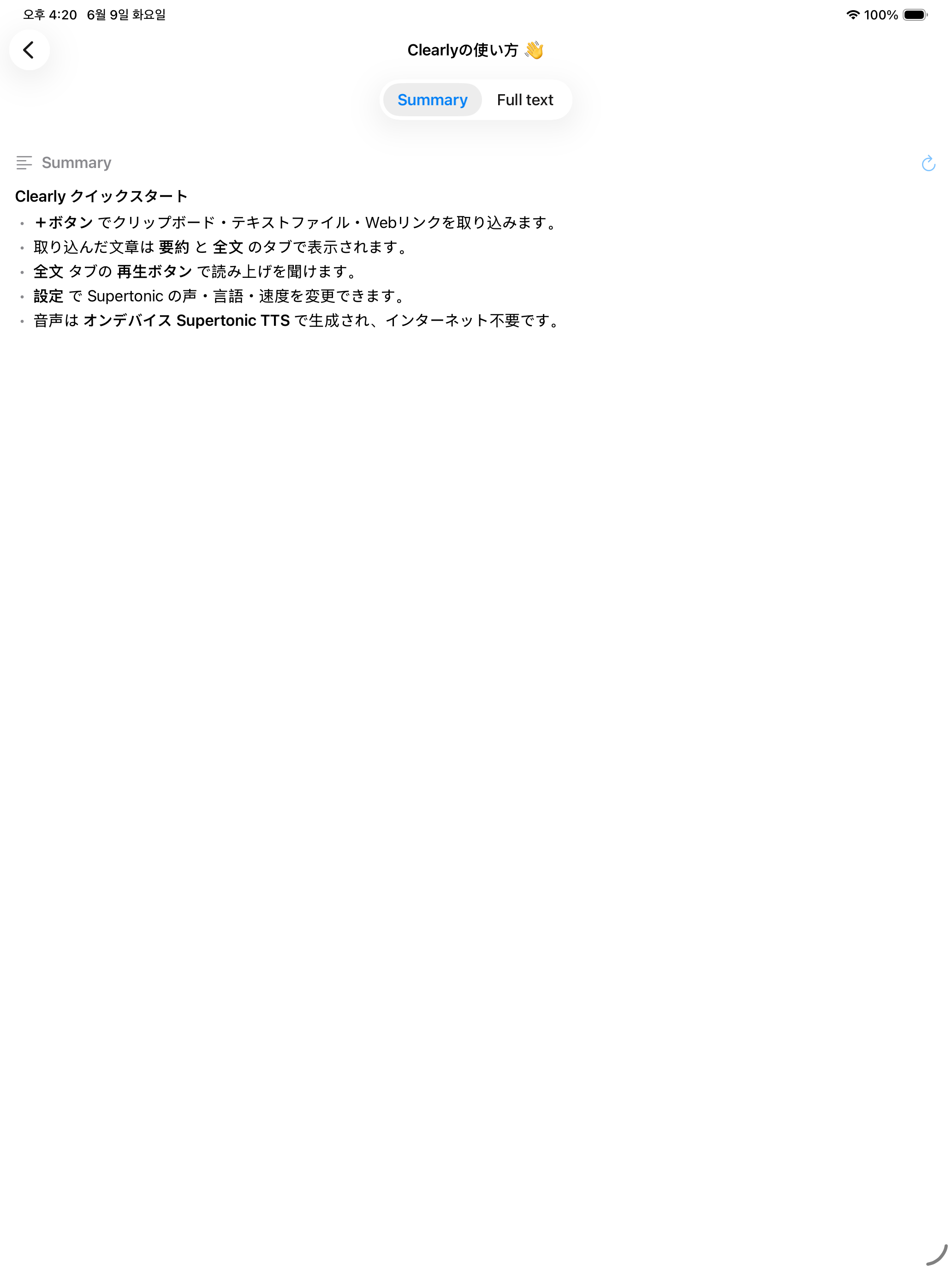
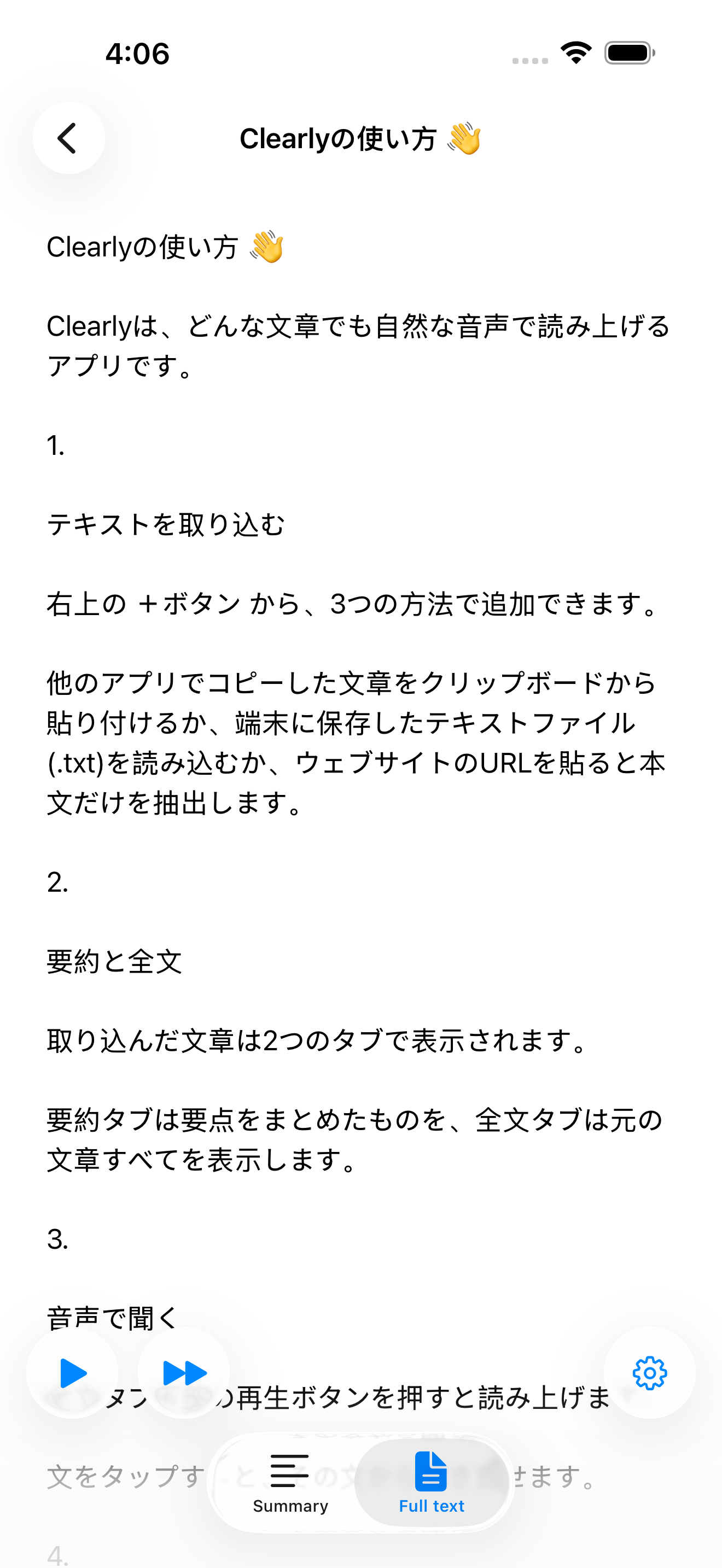
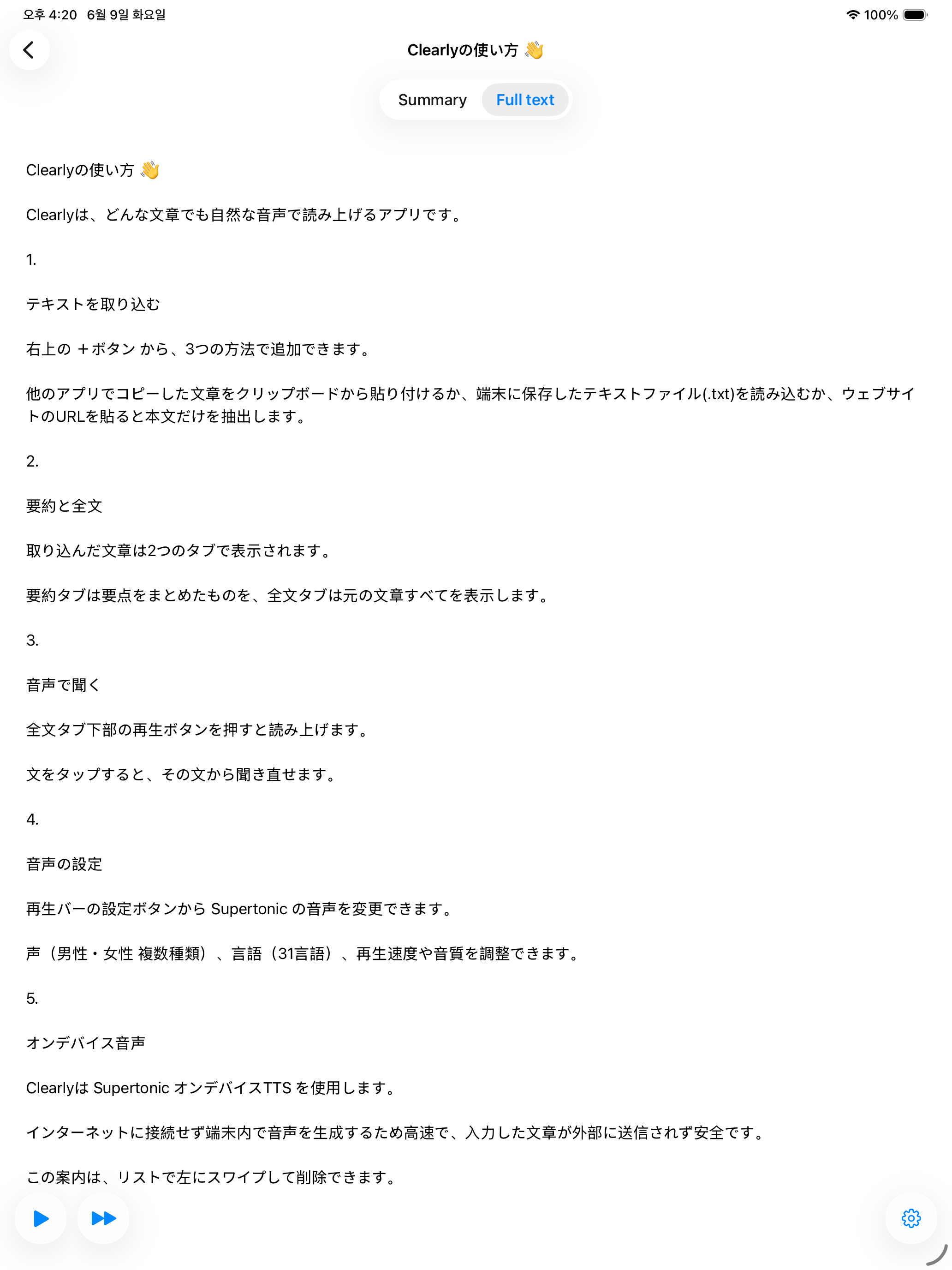
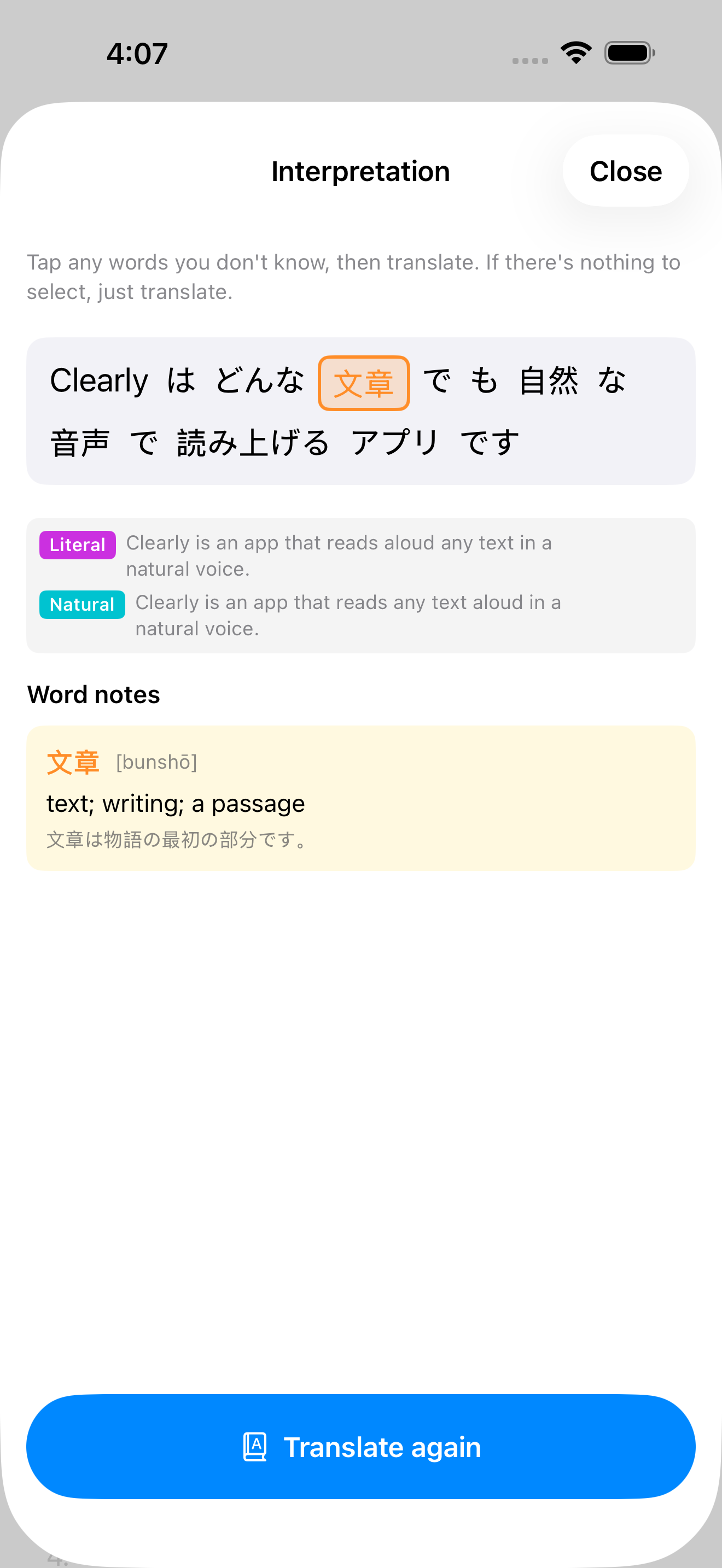
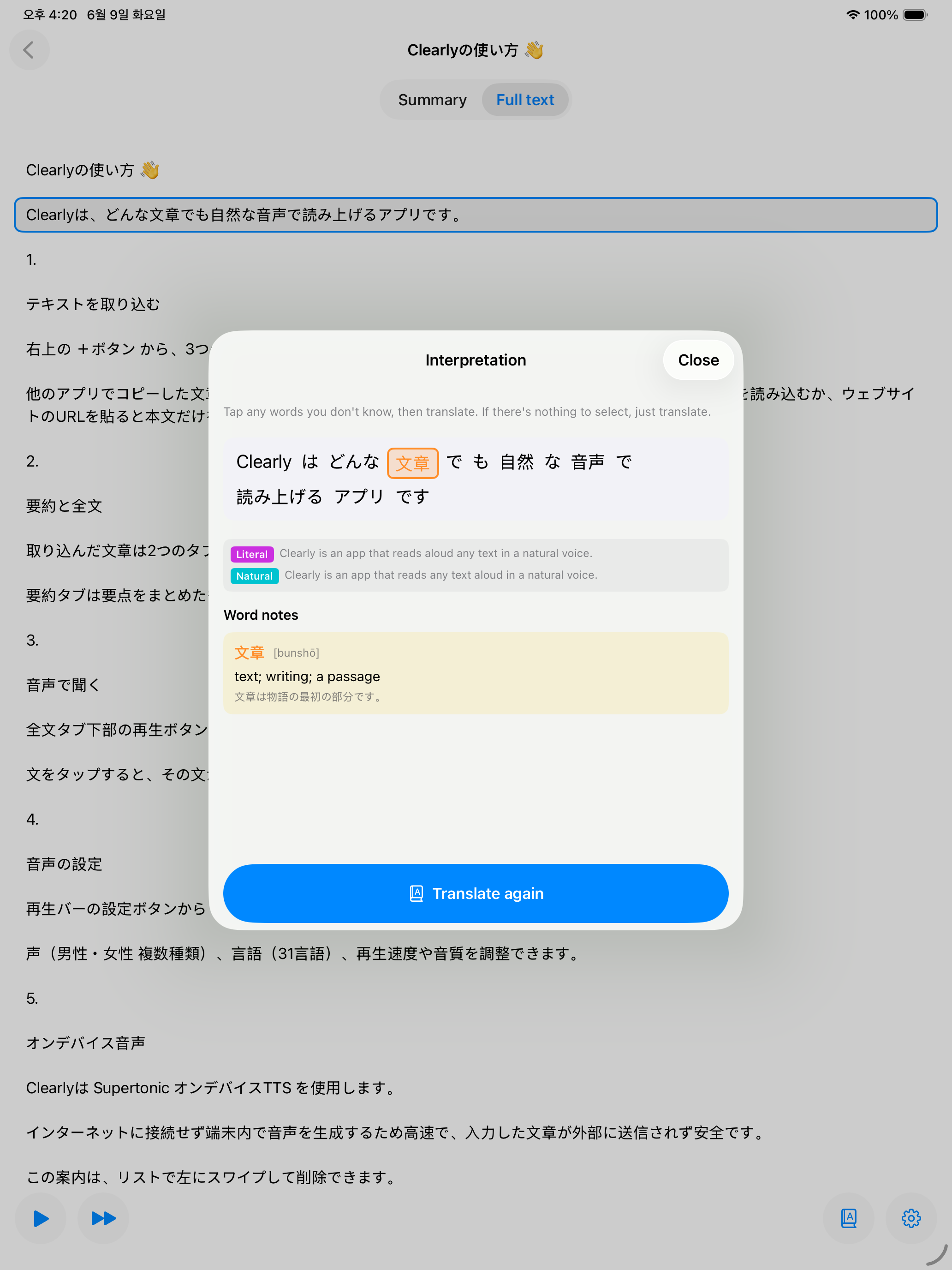
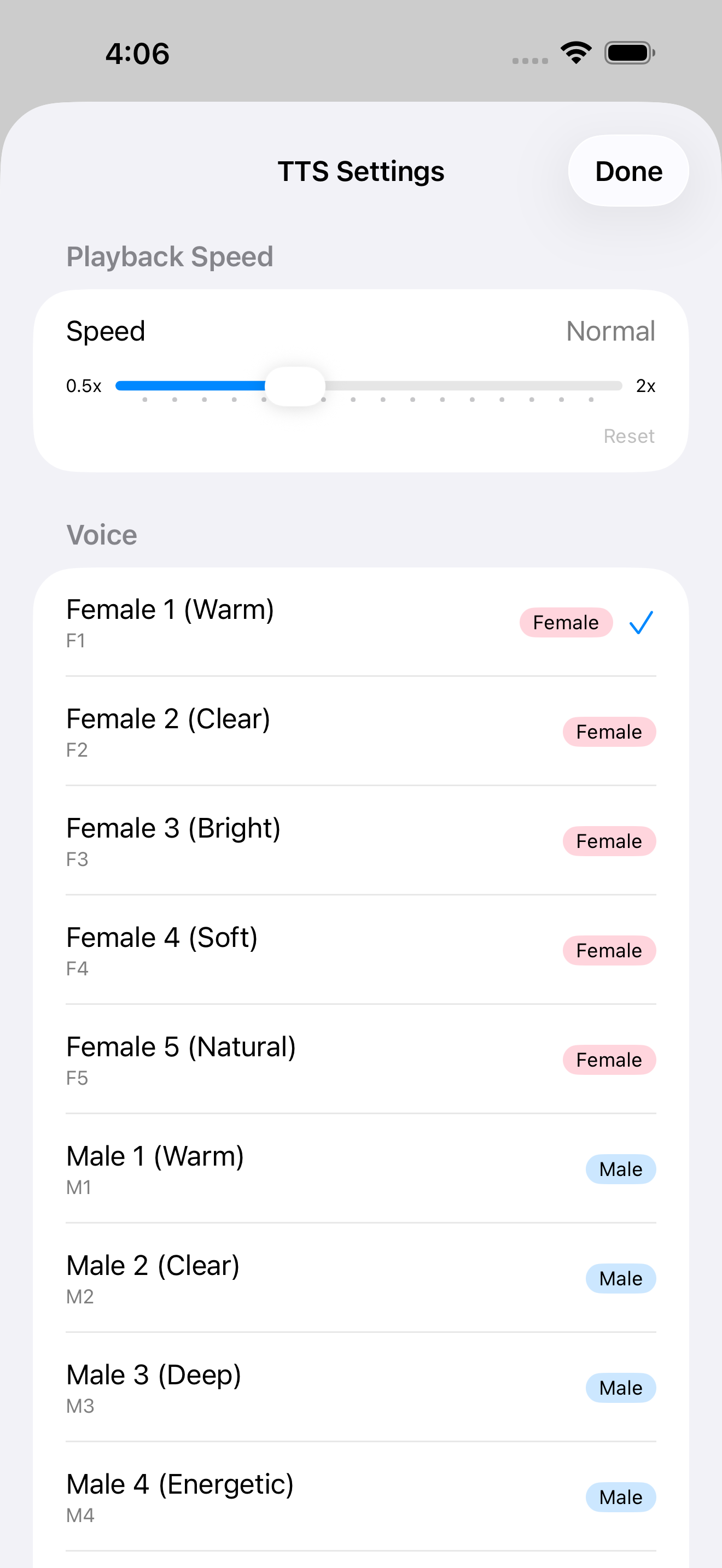
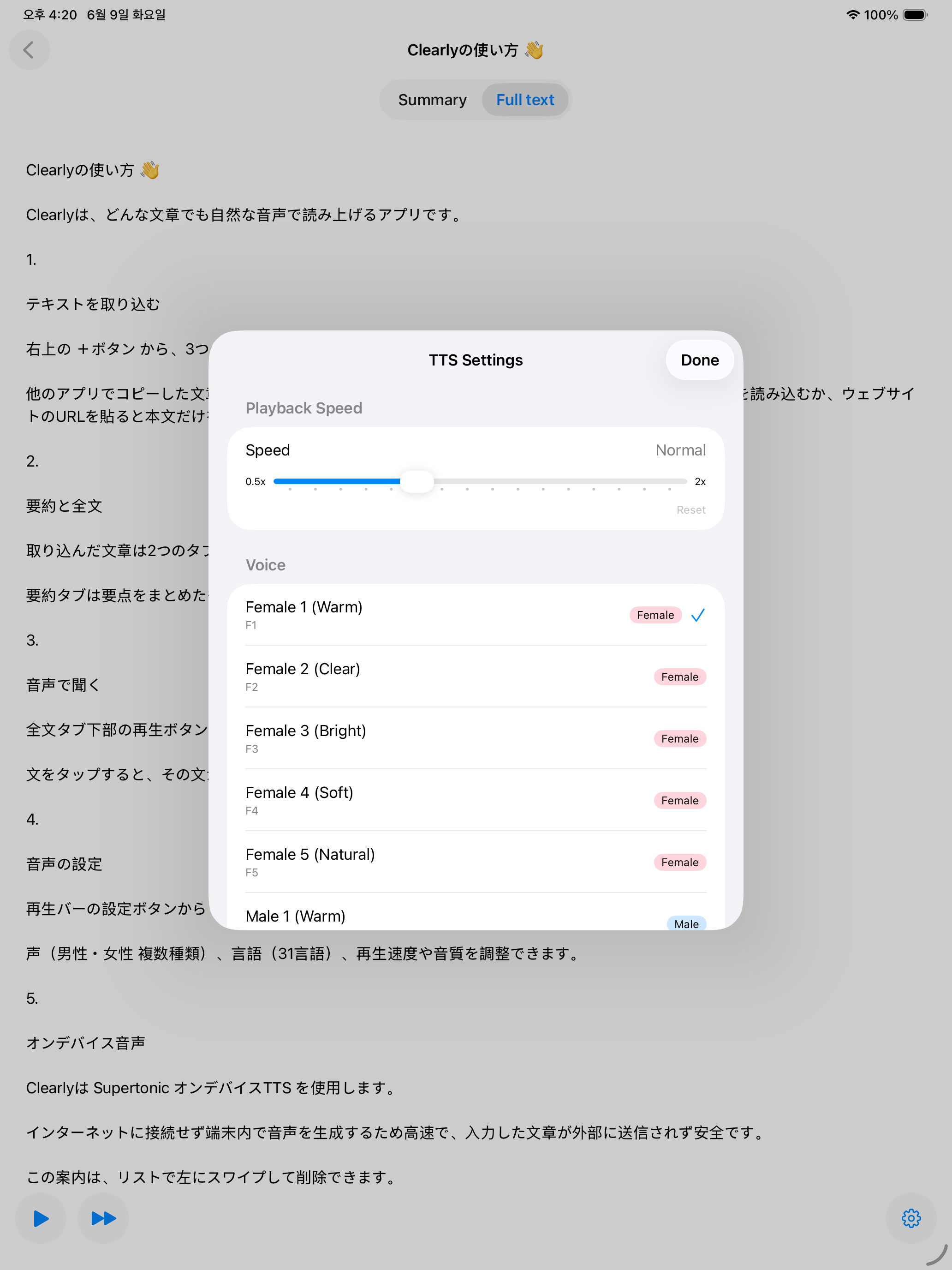
Tap an image to enlarge it. Use the arrows (or your ← → keys) to flip through.
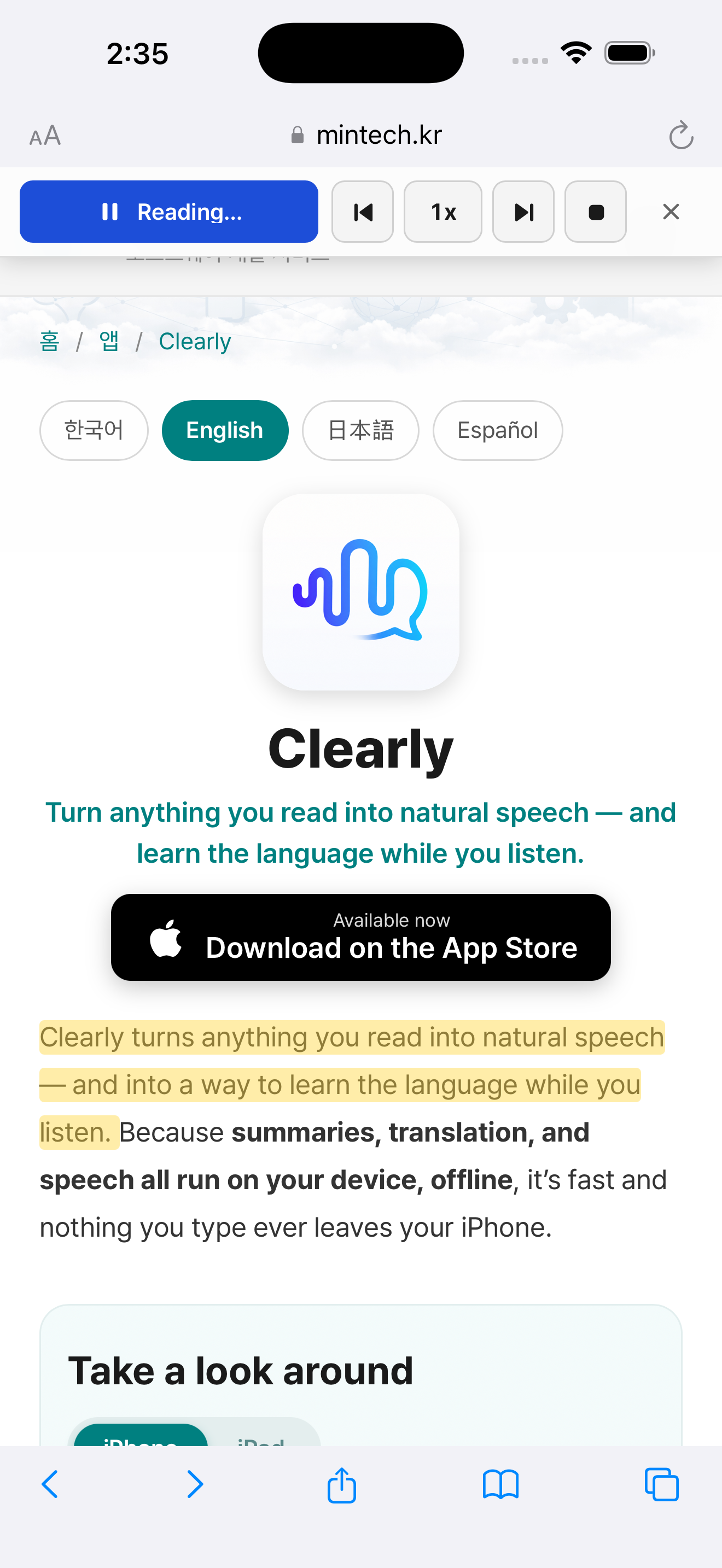
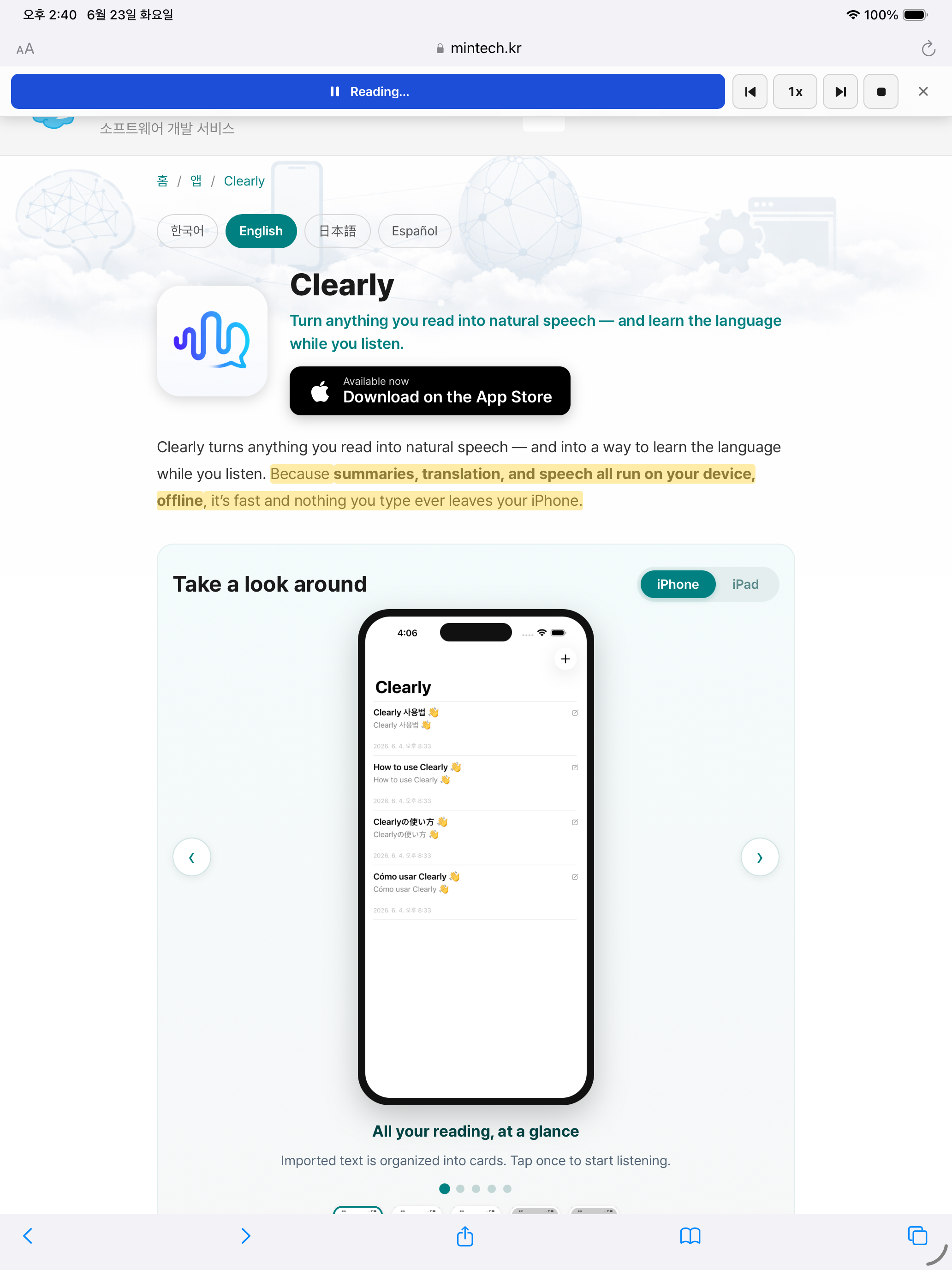
Read web pages in Safari
Clearly also works as a Safari extension. Without importing anything into the app, it reads any web page right where it is in a natural voice. Select a sentence and tap play to start from there — the current sentence is highlighted and the page scrolls to follow along.
- Select a sentence → playPick the sentence where you want to begin and tap play to read from there.
- Live highlighting & auto-scrollThe current sentence is highlighted and the page follows along. Pause, skip, and change speed from a bar on the page.
- 100% on-deviceWeb reading runs on your device too — the page content never leaves your iPhone.
Key features
- 100% on-device & offlineNo account, no internet — nothing you type ever leaves your iPhone.
- Natural speech in 31 languagesOn-device Supertonic TTS reads any text aloud, clearly and naturally.
- Sentence playback & live highlightingFollow along with your eyes, and tap any sentence to replay from there.
- Tap to translate + explain wordsLiteral and natural translations, plus word meaning, pronunciation, and examples — on-device with Apple Intelligence.
- Private summaries & titlesThe gist and a title of any long read, generated right on your device.
- Import from anywherePull the article cleanly from the clipboard, text files (.txt), web pages, and X posts.
Great for
- Reading and listening practice in a new language
- Turning articles, notes, and documents into hands-free listening
- Reading support and accessibility
- Anyone who wants private, offline text-to-speech
How it works
- Tap + to import text — clipboard, text file, web link, or an X post.
- See the gist in the Summary tab and everything in the Full Text tab.
- Press play ▶︎, and tap any sentence to listen from that point.
- Open Interpret on anything you don’t get — translate and learn the words.
- In Settings ⚙️, adjust voice, language, speed, and audio quality.
System requirements
- iOS 26.2 or later (iPhone · iPad)
- Translation, word explanations, summaries, and auto-titles run on Apple Intelligence–capable devices.
- Speech synthesis runs on on-device Supertonic TTS and needs no internet.
Privacy
Clearly collects no user data. Imported text and settings are stored only on your device, and speech, summaries, translation, and titles are all processed on-device. No accounts, no ads, no tracking.