

mintAgent
Your Mac as an agent computer. Name it, and it comes to life — then hand it work from your iPhone and iPad.
Free · notarized Developer ID Download for MacmintAgent turns your Mac into an always-on agent computer. The agent (Hermes Agent) works on your Mac — not a cloud VM — with your account, files and apps. It works while you are away and gets out of your way when you come back. Risky commands and writes to mail, calendars and the like are always asked first, and from your iPhone and iPad you talk to it, approve, and even see the screen.
A look at the screens
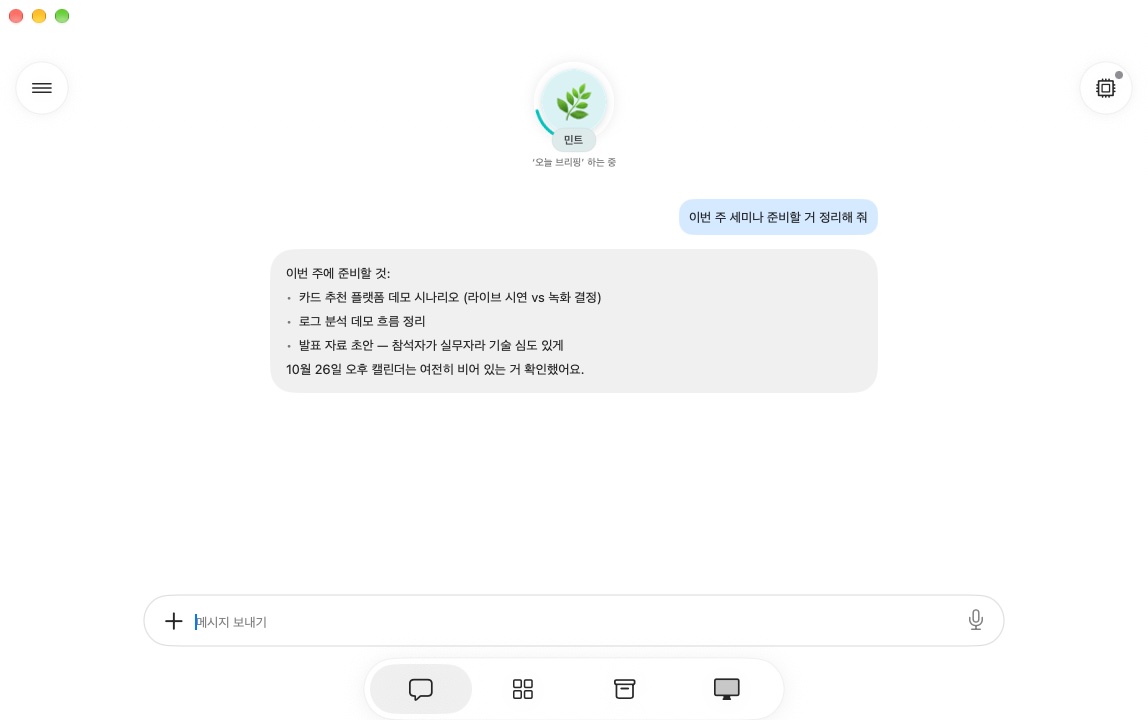
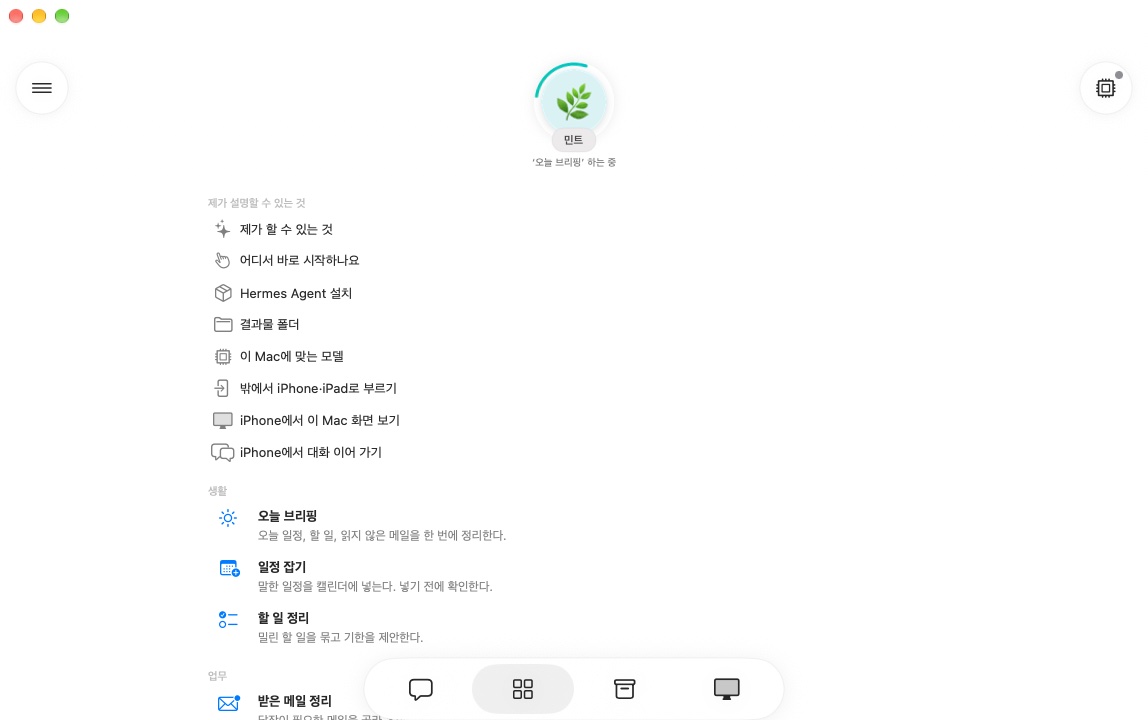
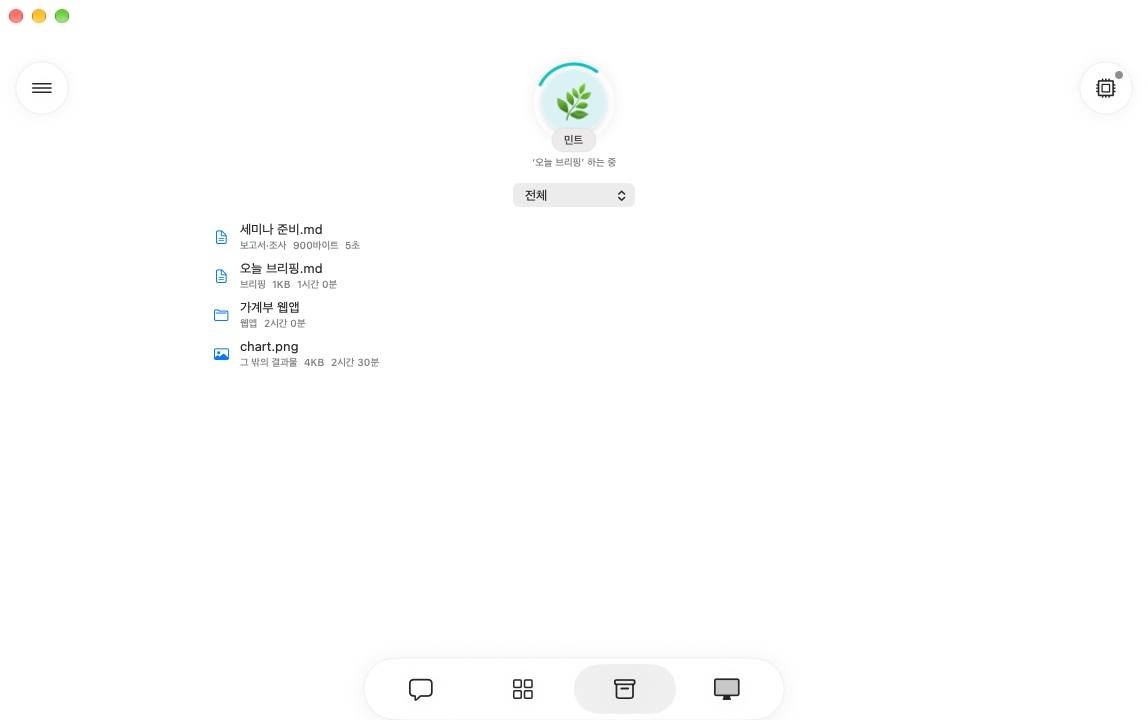
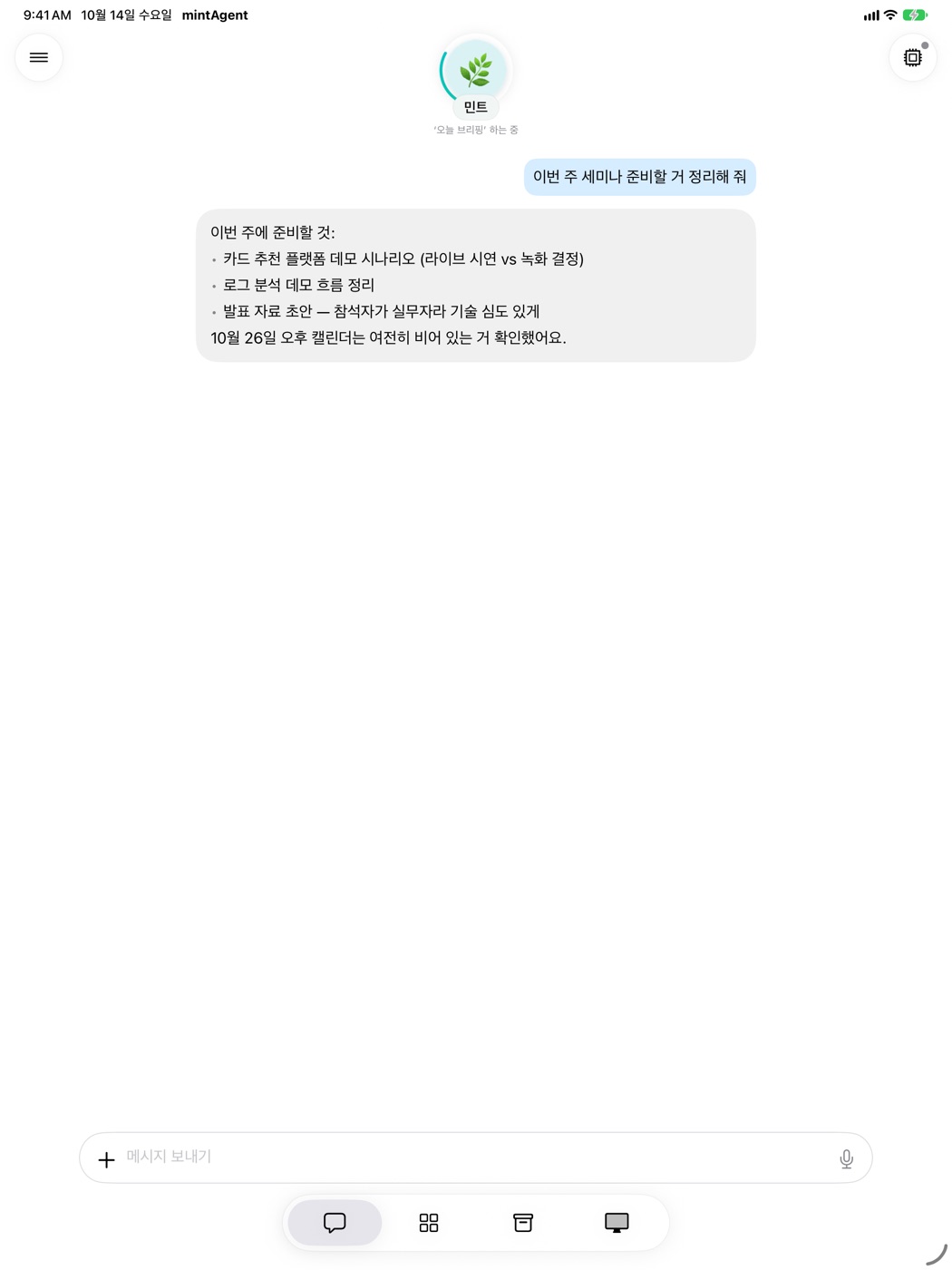
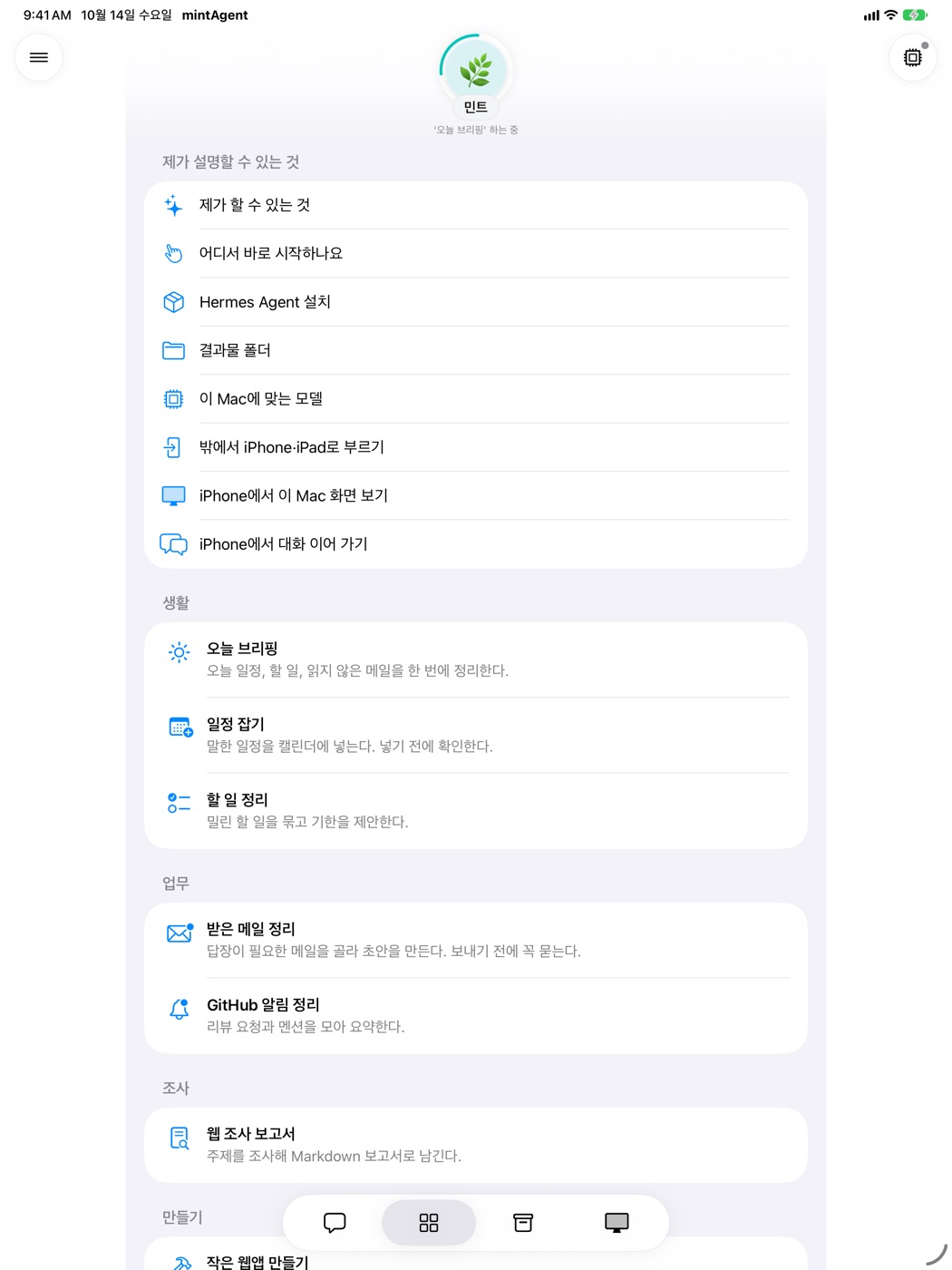
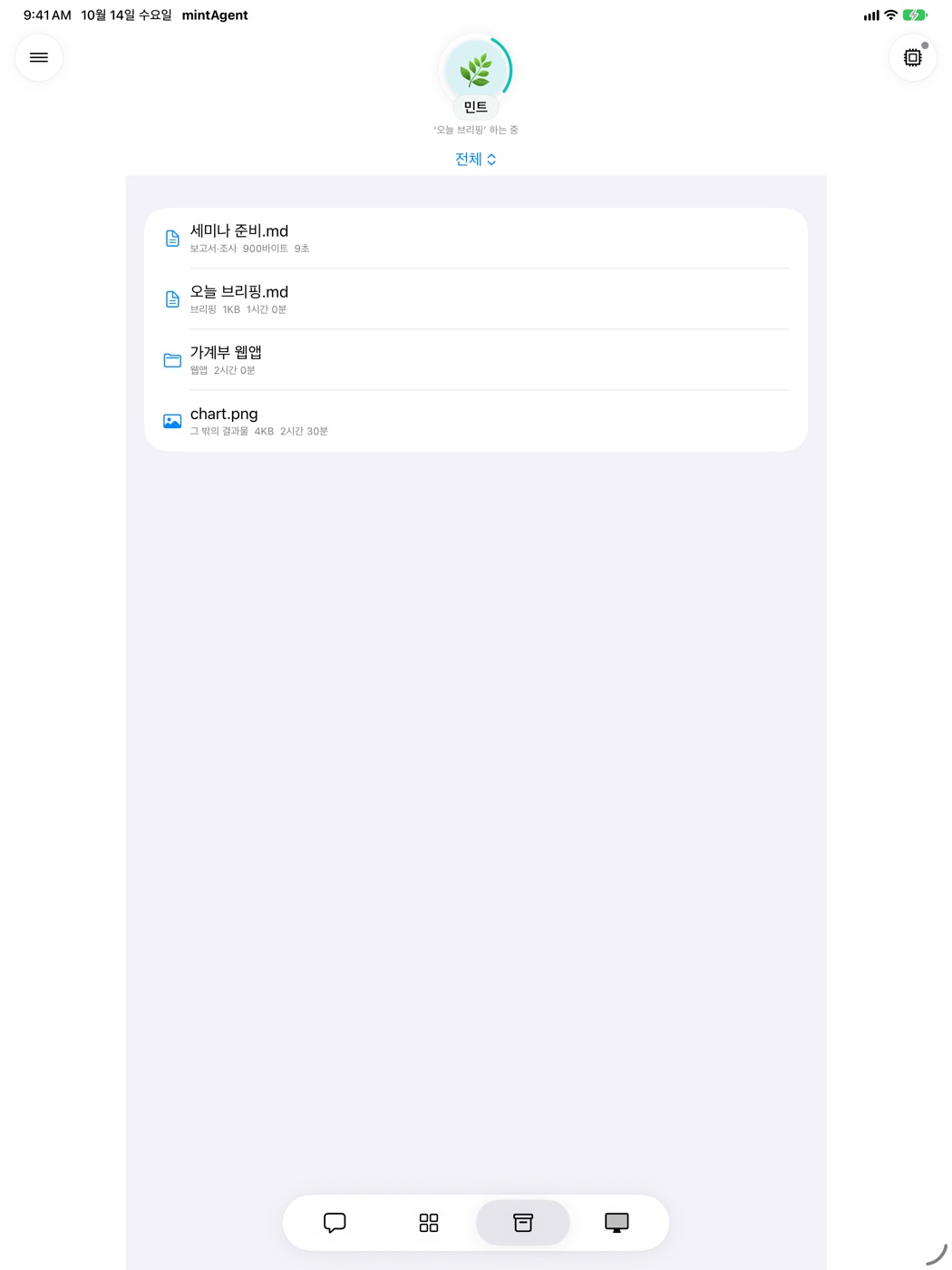

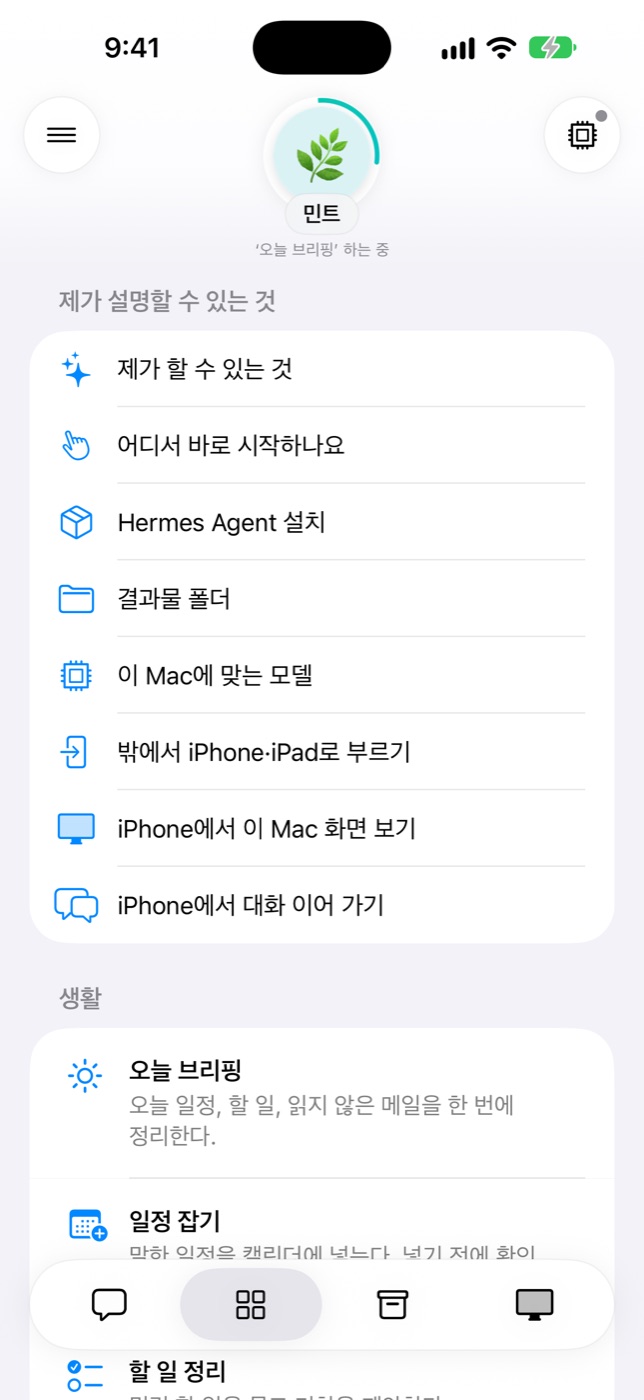
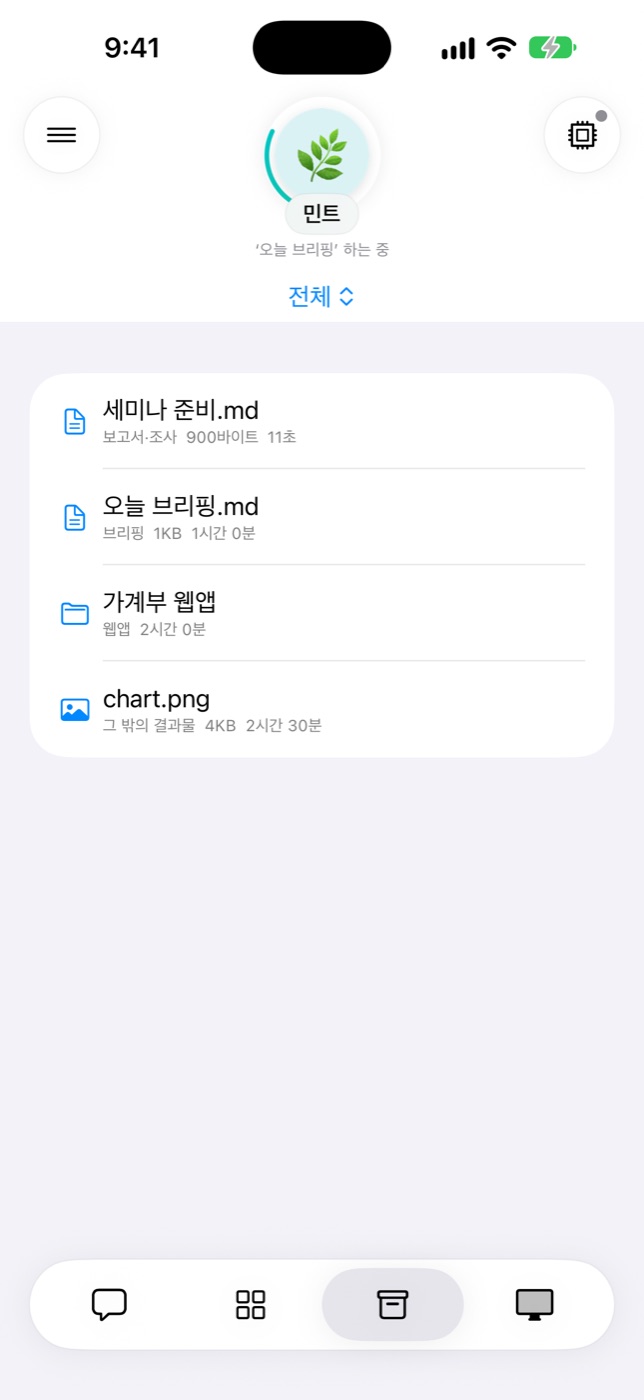
Screens taken with demo data (Korean UI).
At a glance
- An agent born from a nameIt asks just one thing: a name. It reads the name into a personality and greeting, and Image Playground draws an emoji face that fits.
- A face that moves with the momentListening, thinking, working, waiting for approval, done — eight situations, each a gentle animation. The same face on iPhone.
- Hermes, working on your MacThe app installs and updates it. Start ready-made jobs from the conversation; results land in the folder you choose.
- Your choice of modelAnthropic, OpenAI and OpenRouter keys, or local Ollama and MLX models — it recommends one that fits this Mac and installs it.
- Always asks firstRisky commands and writes to Mail, Calendar, Reminders, Contacts and Notes: once, this session, always, or deny — your call.
- Remote from iPhone & iPadSame Apple account? iCloud finds the Mac and a Tailcat tunnel connects you. Continue conversations, approve, see the screen.
What you can hand it
mintAgent comes with ten ready-made jobs close to daily life (the “Top 10”) and meeting minutes. Pick one in the drawer’s Scenarios tab, fill in a few fields, and the agent works on this Mac. Anything that affects the outside — adding an event, moving files — is shown first and done only after you confirm.
-
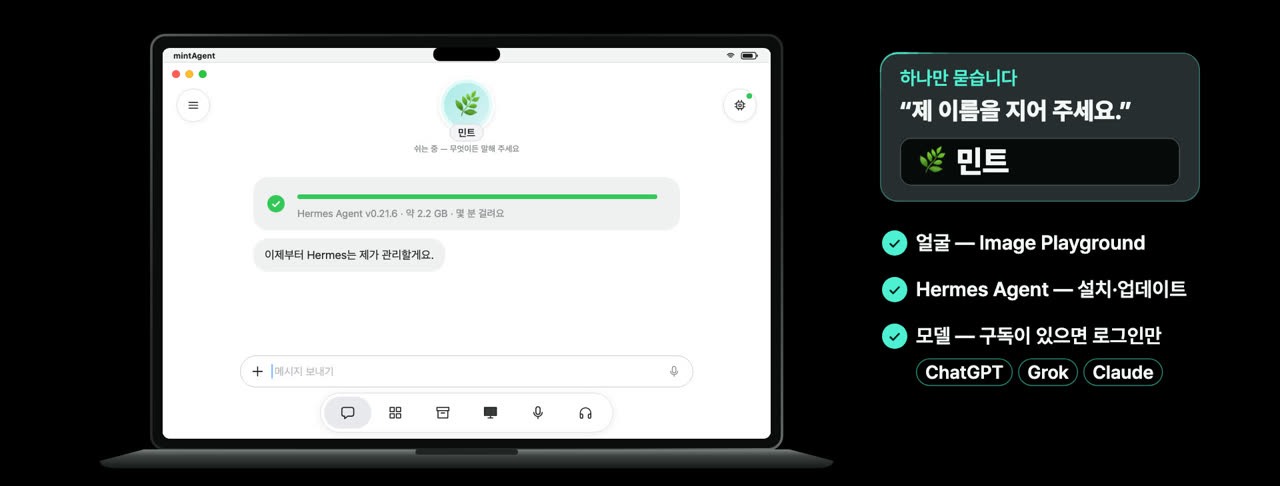 First meeting A name instead of a setup wizard On first launch the agent asks just one thing: “Please give me a name.” Image Playground draws its face, and the app installs and updates Hermes Agent. With a ChatGPT, Grok or Claude subscription you only sign in.
 -
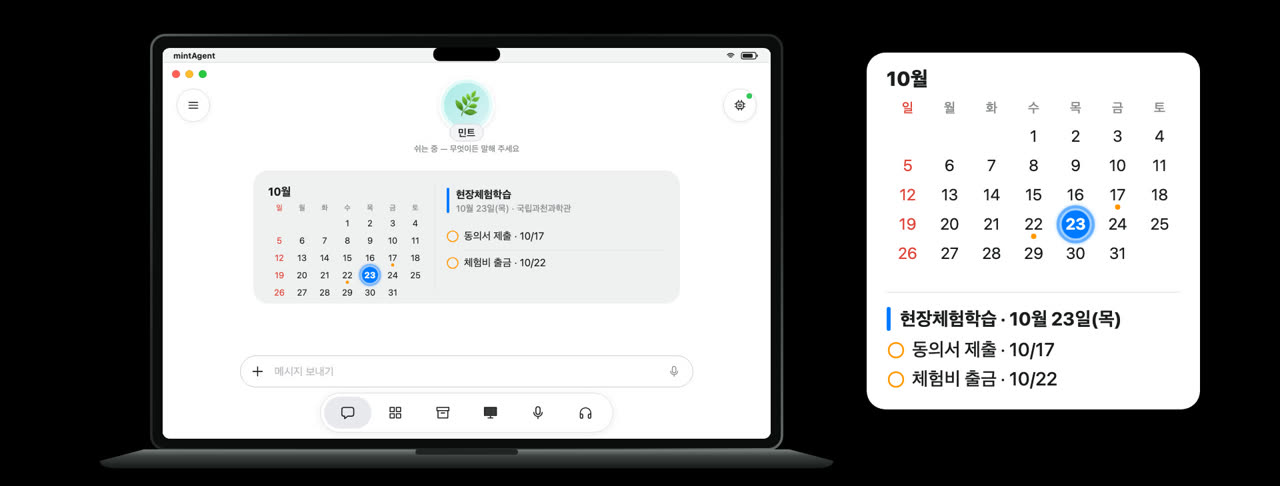 Daily life School notice → dates and things to bring Reads a photo, HWP or PDF of a school notice and pulls out dates, things to bring and forms to hand in. It shows the list and adds to Calendar and Reminders only after you confirm.
 -
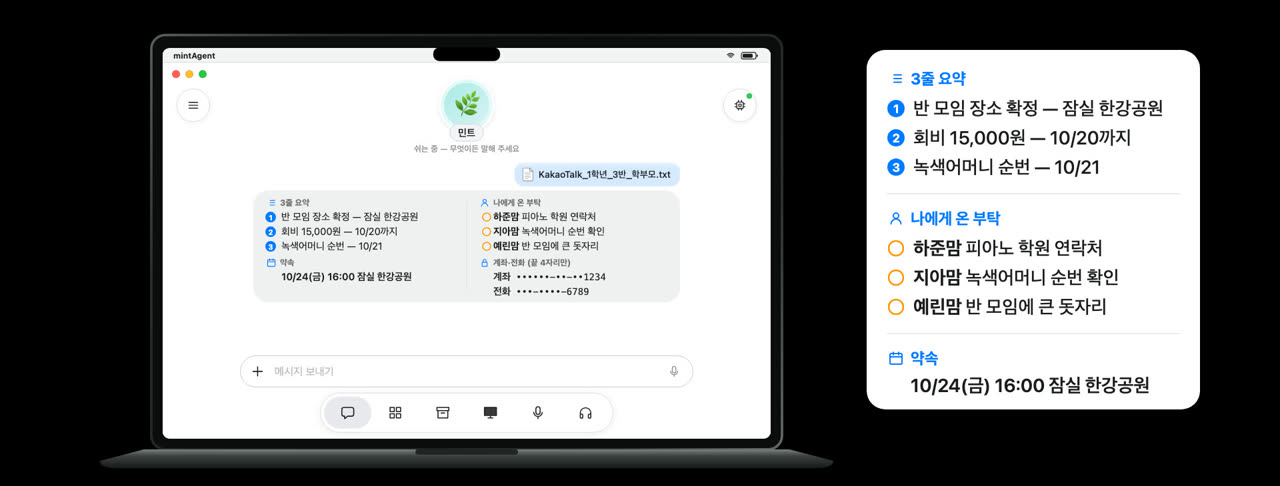 Group chat A three-line summary of the group chat — and what is yours to do Reads a KakaoTalk chat export and sorts out a three-line summary, requests addressed to you, and plans with dates, places and amounts. Phone and account numbers show only their last four digits.
 -
 Money The Mac finds the leaks; you cancel Finds unused subscriptions, same-day duplicate charges and money owed to you in card and bank statements, and totals “what you could save in a year”. It cancels nothing — it lists what to do.
 -
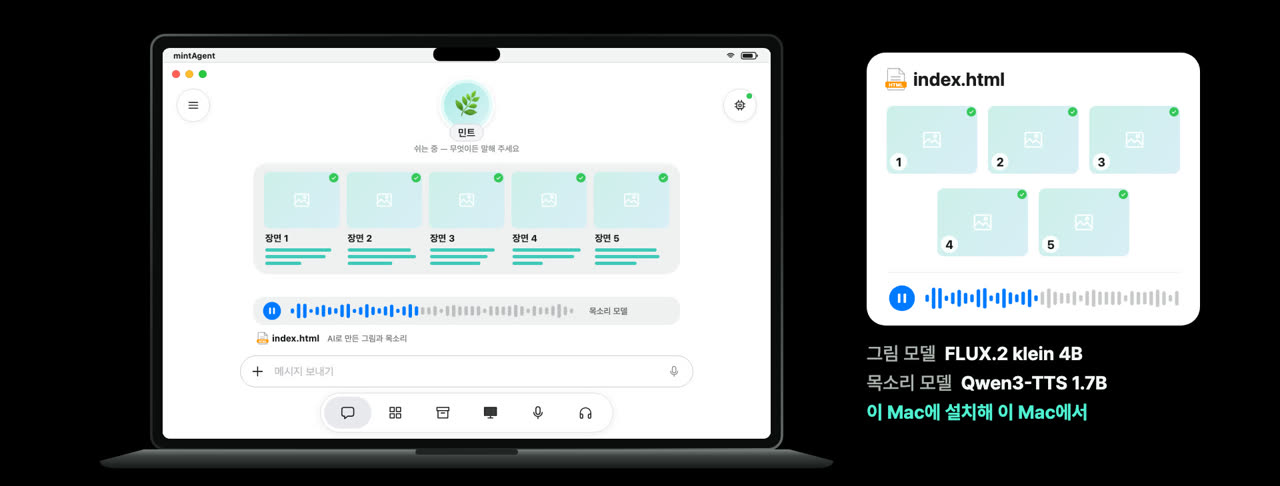 Family A picture book for your child — pictures and voice made on this Mac Writes a five-scene story starring your child, draws each scene and reads it aloud. The image model (FLUX.2 klein 4B) and the voice model (Qwen3-TTS 1.7B) are installed on this Mac and run here.
 -
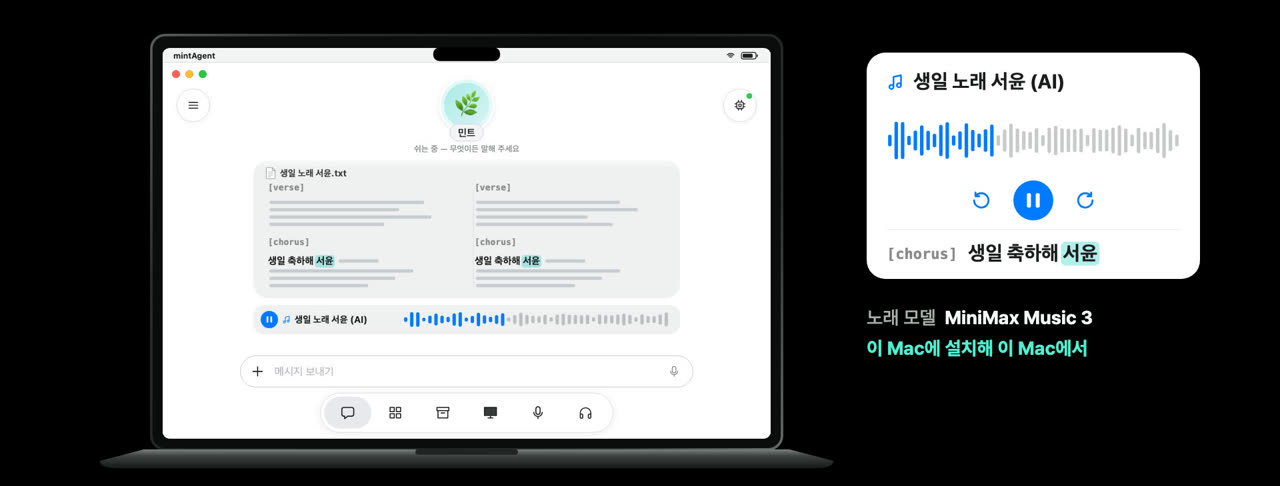 Family A birthday song with your child’s name Writes lyrics with the name and makes one song with the music model (MiniMax Music 3) — a few minutes per song, also on this Mac.
 -
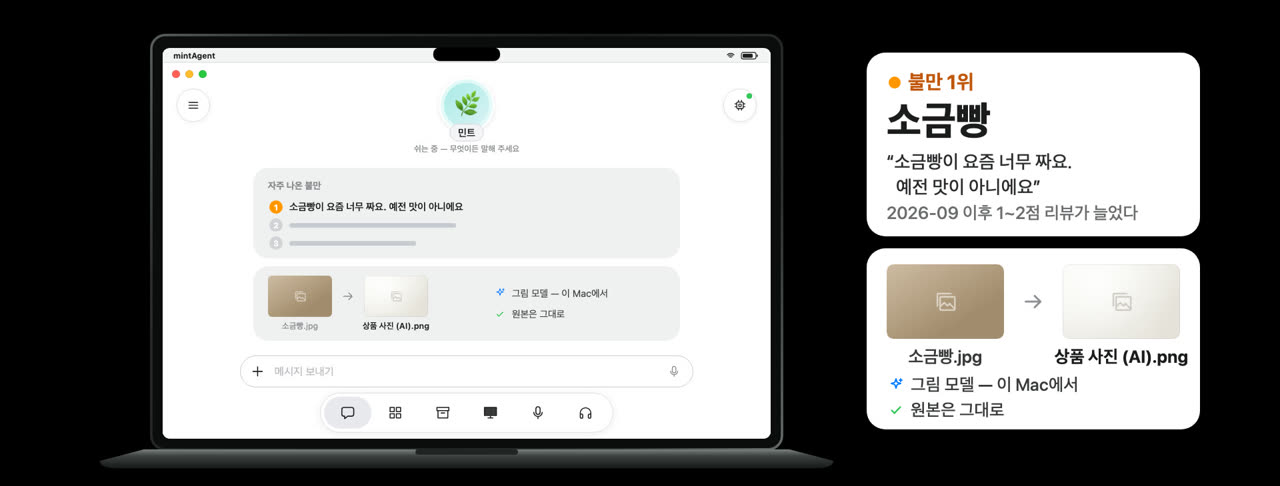 Shop Replies in the shop’s voice, brighter product photos Writes a reply to each review in your shop’s tone and summarizes the most common complaints and praise. If you like, it redoes a product photo brighter and cleaner and leaves the original alone. It does not post the replies.
 -
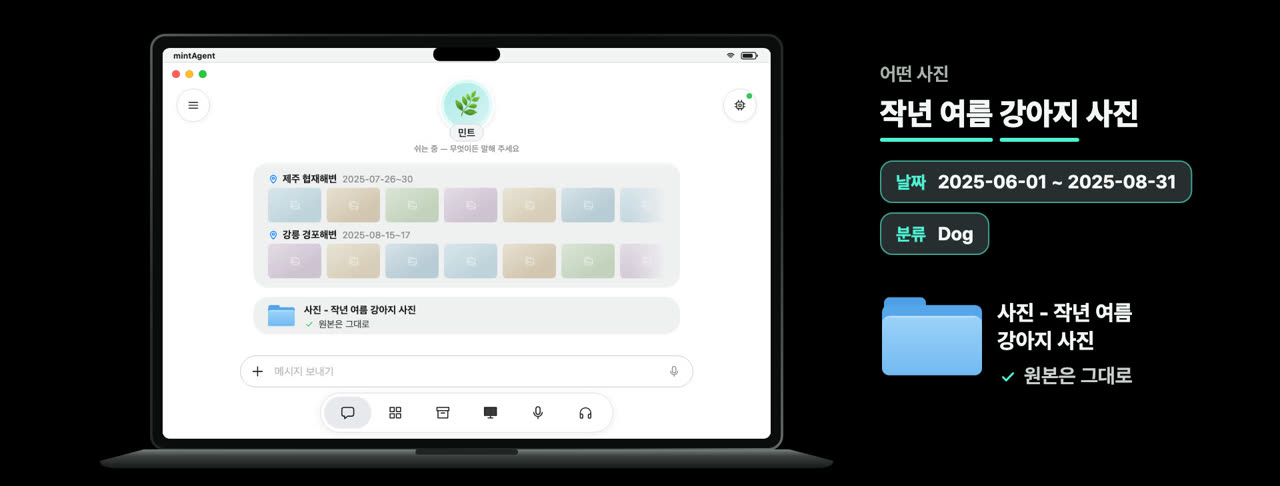 Photos “Last summer” by date, “dog” by category Turns “dog photos from last summer” into a date range and a Photos category, finds them, and after you confirm copies them into a folder. Originals stay as they are.
 -
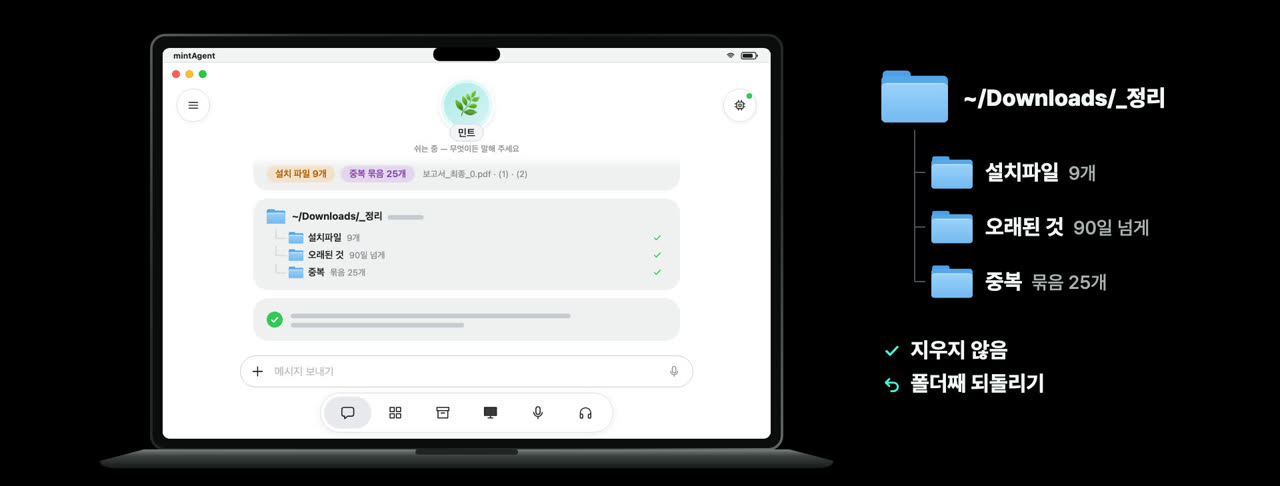 Files Moved to a tidy folder, never deleted Looks through Downloads for big files, files not opened for a long time, installers of apps you already have, and duplicates. After you confirm it moves them into a “_정리” (tidy) folder — never deletes — and moving the folder back undoes it.
 -
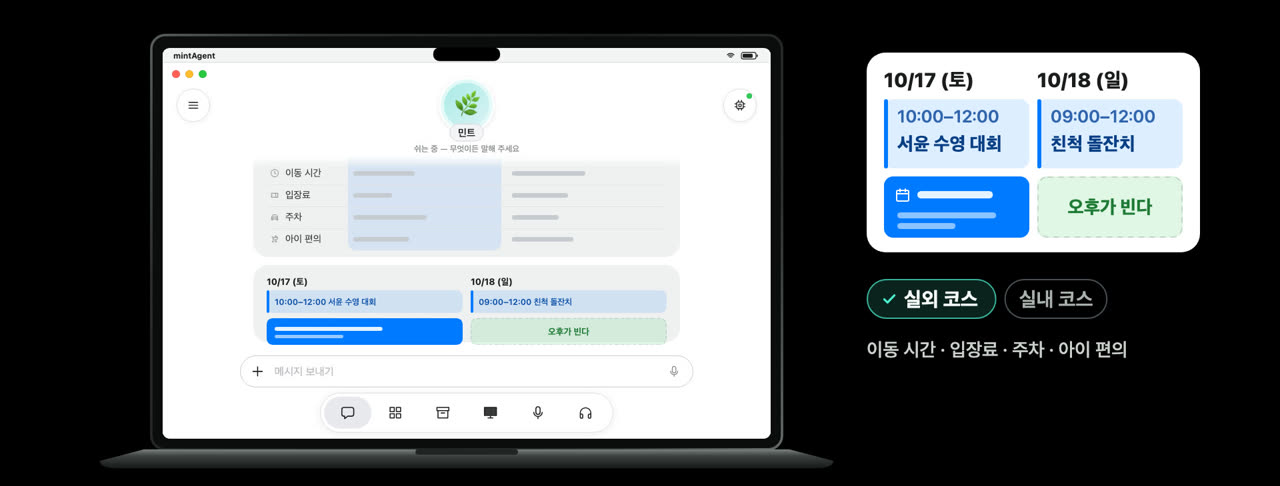 Weekend Free time first, then a choice of two courses Checks your Calendar for free time, then compares an outdoor and an indoor course for the weather and air quality. The one you pick goes into Calendar after you confirm.
 -
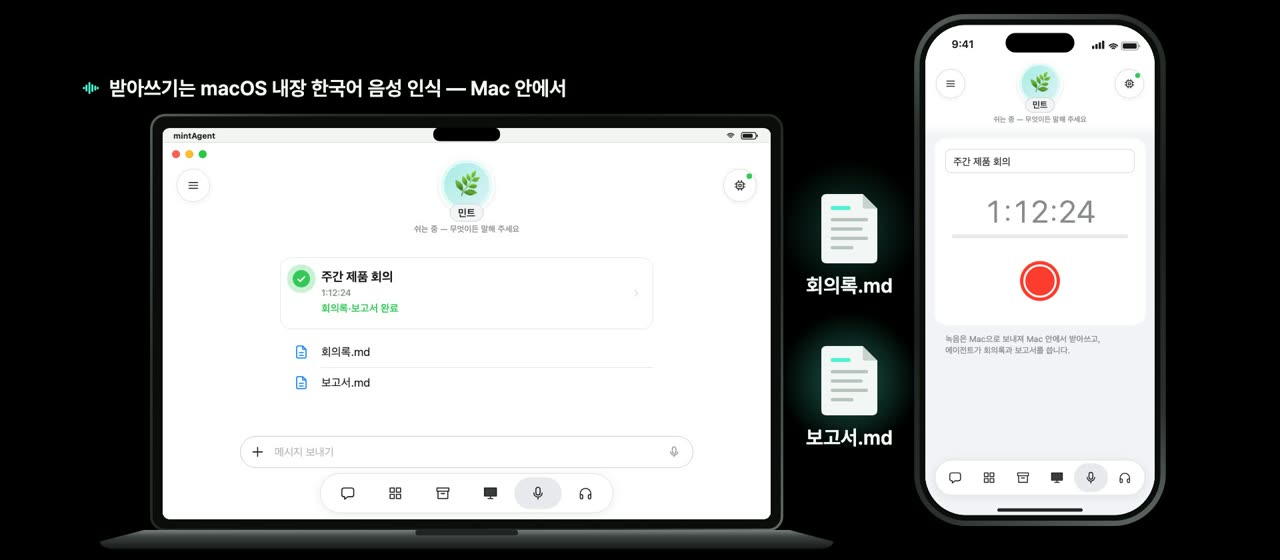 Meetings Just record — the Mac writes the minutes and the report The recording goes to the Mac and is transcribed there (macOS’s built-in Korean speech recognition), and the agent writes the minutes and a report. Nothing leaves the Mac for transcription.
 -
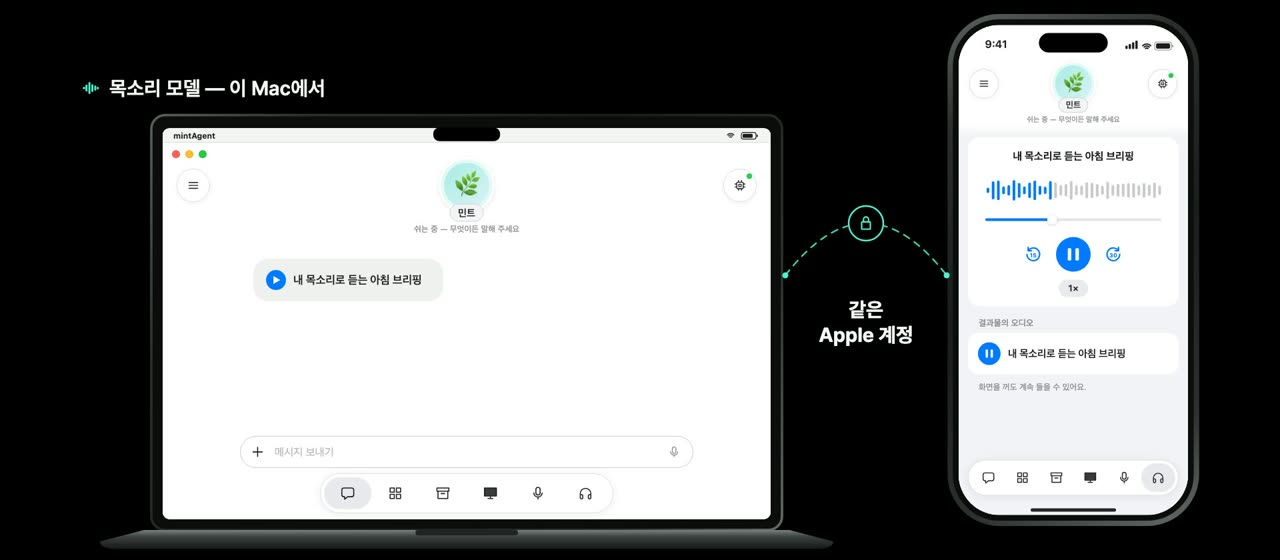 Anywhere Out and about on your iPhone, the work on your Mac With the same Apple account there is nothing to set up. You get a notification when approval is needed or the work is done, and audio results keep playing with the screen off.
Motion-graphic recreations of the app’s screens, made with fictional family and shop data (Korean UI).
Features in detail
An agent born from a name
Instead of a setup wizard, the agent asks one question: "Please give me a name." It reads the name, gets a face and a personality, and guides you through the rest in conversation.
- Reads the name properlyKorean nicknames, the visual cliché behind an adjective (clever → horn-rimmed glasses), and slang it looks up on the web.
- An Image Playground faceApple Image Playground (emoji style) draws the face; only the character is kept, so it suits any screen.
- A personalityThree traits, a way of speaking, a first greeting — used in every conversation and guide after.
- Any time againRename it in Settings › Agent and the face and personality are made anew.
A face that moves with the moment
Once the face is set, mintAgent makes short animations for eight situations in the background: idle, listening, thinking, working, waiting, done, problem, resting. You see what it is doing without reading a status line.
- Never overdoneOnly small movements of eyes, mouth and head. Clips that drift from the character are discarded.
- TransparentHEVC with alpha, so it sits naturally on any screen — tens of kilobytes per clip.
- On iPhone & iPad tooThe set reaches your devices through iCloud, even when they are not connected to the Mac.
- Respects Reduce MotionWith Reduce Motion on, you get the still face.
Hermes Agent, working on your Mac
The work is done by open-source Hermes Agent (MIT). mintAgent installs it on your Mac once (about 2.2 GB) instead of bundling it, then keeps it updated — only to versions verified with the app.
- Ready-made jobsResearch reports, morning briefings, web apps — start them from a card in the conversation or the Scenarios tab (⌘N), choosing a model for each.
- Your results folderEverything lands under the folder you choose (default
~/mintAgent): reports, briefings, web-apps, artifacts — previewed in the Library. - Web apps that stay upA web-app skill and a guard hook keep the agent from breaking its own servers; relaunch any web app later.
- Apple dataBuilt-in MCP tools read Calendar, Reminders, Contacts, Notes and Mail. Writes are asked first.
- Home conversationEveryday chat runs on this Mac’s Apple Intelligence — even before Hermes — and suggests the right job when you ask for work.
- Steps asideWhen you start using the Mac, screen work pauses and it asks whether to continue when you come back.
Your choice of model
Connect several models and choose per job. A model is connected only after it actually answers (local ones must call a tool too).
- CloudAnthropic, OpenAI and OpenRouter API keys, kept in the Mac’s Keychain.
- Local on this MacOllama (installed for you if missing), MLX (Hugging Face models), LM Studio, or another local server.
- Fits this MacPicks from a verified list by chip and memory, and tells you how long the first answer will take.
- Switch anywhereChange the current model from the top of the agent screen, the menu bar, or your iPhone and iPad.
Your Mac from iPhone & iPad
Open mintAgent on an iPhone or iPad with the same Apple account: iCloud finds the Mac and a tailcat tunnel (WireGuard, DERP) connects you. No account, public IP or VPN app.
- Same conversationsThe same conversation list, scenarios and library as on the Mac. Several Macs? Switch between them.
- Approve anywhereAnswer the agent’s approval requests right on your device.
- See the Mac’s screenWatch and control the Mac while the agent works (an independent RustDesk-compatible implementation).
- Open portsOpen the web apps the agent started in your device’s browser.
Getting started
- Download mintAgent for Mac below, unzip it and move it to Applications.
- Open it and the agent asks for a name. Give it one, and it gets a face and a personality.
- In the "first day" conversation the agent walks you through installing Hermes, choosing a results folder and a first job.
- Connect a model in Settings › Models (or let the agent recommend a local model for this Mac).
- Turn on remote access to reach this Mac’s agent from an iPhone or iPad with the same Apple account.
Requirements
- macOS 27 or later on an Apple silicon Mac
- The first-meeting face and home conversation: Apple Intelligence turned on (otherwise an emoji face and simple replies)
- About 2.2 GB for Hermes Agent; several GB per local model
- Remote: the iPhone/iPad app (coming soon) and iCloud on the same Apple account
Privacy
There is no account. The agent runs on your Mac and conversations, files and results stay there. Devices talk to the Mac directly through a tailcat tunnel; iCloud is used only for devices to find each other and to deliver the face animations. What you send to a model follows that provider’s policy (local models never leave the Mac).
Only two things go through Mintech’s server (api.wangsy.com): (1) name reading — only the name is sent, read by a frontier model via OpenRouter; (2) face animations — one picture of the face is sent, animated by a video model via OpenRouter. No conversations, files or Apple data. If the server is unavailable, the Mac’s Apple Intelligence reads the name instead.
Download for Mac
Signed with an Apple Developer ID and notarized by Apple. Unzip and move it to Applications. macOS 27 or later, Apple silicon.
Download mintAgent for Mac (zip) Version 0.1.0 · build 2610191655 · 11.3 MB
Notarized and checked by Gatekeeper; on first launch you only see the "downloaded from the internet" prompt. All builds
Open source inside
- Hermes AgentAgent runtime (MIT) — downloaded to your Mac, not bundled
- tailcatWireGuard · DERP tunnel (BSD-3-Clause)
- OllamaLocal model runtime (MIT) — downloaded when chosen
- mlx-lmLocal models on Apple silicon (MIT) — downloaded when chosen
- wireguard-goWireGuard (MIT)
- SwiftNIONetworking (Apache-2.0)
See also mintOps, the SSH terminal built on the same Tailcat technology →